

Table of Contents
- Start With a T-Shirt Artwork Color Setup That Matches Your Print Method
- How to Get Accurate Colors When Printing on Different Fabrics
- Why Print Colors Don't Match the Proof: Common Causes
- How Screen Printing, DTG, DTF, Sublimation, and Heat Transfer Shift Color Differently
- Your Apparel Print Proof Approval Checklist Before Production
- Quality Control: Catching Color Discrepancies in Apparel Prints Before They Ship
- Frequently Asked Questions
Last Updated: October 16, 2026
Start With a T-Shirt Artwork Color Setup That Matches Your Print Method
Avoiding color discrepancies in apparel prints starts with how you build the design file. At Unique Designs, we've spent nearly forty years watching good artwork go wrong on press, and the cause is almost always the same: the file was set up for a screen, not for a garment.

Your monitor glows; fabric reflects. They'll never match perfectly, but you can control the variables so the gap stays small and predictable.
That means picking the right color mode, limiting your color count, and locking in spot colors before the file ever reaches a printer.
RGB vs. CMYK: Why Your Screen Colors Aren't Print Colors
RGB gives you millions of shades; CMYK gives you a smaller gamut. Vivid blues, neon greens, and electric oranges simply don't exist in CMYK ink.
So when a customer says "the print looks duller than my screen," that's not a printing error. That's physics.
The fix: design in CMYK from the start if the job will print. If you started in RGB, convert early and expect the shift, not the night before production.
Setting Up Spot Colors and Limiting Your Color Count
A spot color is a pre-mixed ink matched to a standard reference, usually a Pantone number, one ink already the right shade instead of four building it.
Spot colors give better accuracy and fewer variables but cost more per color, which is why limiting your color count matters.
Every added color means another screen, setup, and chance for a mismatch.
A few rules we follow:
- Convert all RGB values to CMYK or Pantone before sending files
- Keep your color count as low as the design allows
- Name your spot colors clearly so the printer can't guess
How to Get Accurate Colors When Printing on Different Fabrics
Getting accurate colors means accepting the garment as part of the color equation: the same ink on two different shirts can look like two different inks.
Fabric is the substrate, and substrate changes everything. A 100% cotton tee absorbs ink differently than a 50/50 cotton-poly blend. Texture, weave, and dye all pull the final color in different directions.
How Fabric Composition, Dye, and Garment Batch Affect Color
Cotton soaks up ink and lets it settle into the fiber; polyester resists ink, so colors sit on the surface and look slightly different, sometimes shinier.
Garment dye matters too: a heather grey shirt blends fibers dyed for that look, and the ink picks up the underlying variation.
What we tell customers: if color consistency across a large order matters, print the whole order in one run. Don't split it across batches.
Dark Garments and White Underbase: Getting Vibrant Results
A white underbase is a layer of white ink printed beneath your colors on dark garments so the design reads bright instead of muddy; without it, colors sink into the fabric and lose their punch.
Dark garments are the hardest to print vibrantly. Black, navy, and deep maroon shirts swallow color. A red logo printed directly on black can come out looking brown.
The underbase solves this, but it adds a step.
Why Print Colors Don't Match the Proof: Common Causes
Print colors don't match the proof because a proof and a printed garment are made in completely different ways: one is often a picture of the design, the other is ink on fabric. Expecting an exact match sets you up for disappointment.
The most common causes of a color shift:
- The proof was shown on a backlit screen, which always looks brighter
- The design was built in RGB but printed in CMYK
- The garment color differs from the proof's simulated background
Most of these are preventable, and all are predictable once you know where to look.
Screen Proof vs. Digital Proof: What Each One Actually Shows
A digital proof is a file or printed sheet simulating the design's colors, fast and cheap, but an approximation.
A screen proof is closer to the real thing because it uses the actual printing method, showing how ink behaves on fabric.
Here's the honest trade-off:
| Proof Type | What It Shows | Cost | Accuracy |
|---|---|---|---|
| Digital proof | Simulated colors on screen or paper | Low | Approximate |
| Screen proof | Real ink on real fabric | Higher | Close to final |
| Pre-production sample | A finished garment from the actual run | Highest | Most reliable |
If color accuracy is critical, a pre-production sample is worth the extra cost, the only proof that shows the true result before the full run.
Pantone Color Institute guidance on color standards
How Screen Printing, DTG, DTF, Sublimation, and Heat Transfer Shift Color Differently
Each print method shifts color in its own way.
DTF, or direct-to-film, transfers a printed film onto the garment, handling fine details well but looking slightly glossy.
Heat transfer presses a pre-printed transfer onto fabric, flexible for small runs, but color can shift with press temperature and pressure.
Heavyweight Unisex Crewneck T-shirt | Gildan® 5000 →
The takeaway: pick your print method before you finalize colors. A color that looks great in DTG might look flat in screen printing, and vice versa.
American Apparel & Footwear Association industry resources
Your Apparel Print Proof Approval Checklist Before Production
An apparel print proof approval checklist is a short set of checks you run before signing off, catching the color discrepancies that would otherwise show up on hundreds of finished garments.
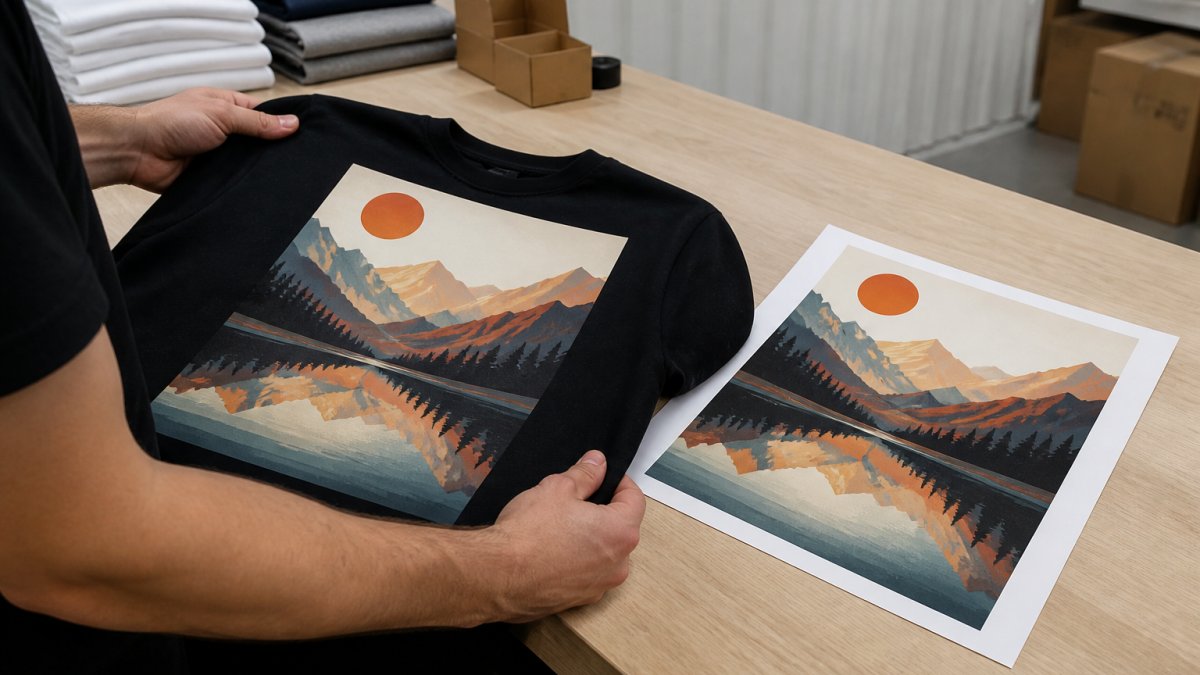
A checklist that works produces a decision you can defend later. "It looked close" is not a decision; "it measured within tolerance against the approved standard" is.
Define a Color Tolerance Before You Approve Anything
No two prints are identical: ink viscosity drifts, squeegee pressure varies, fabric absorbs unevenly, and the first shirt off a run rarely matches the five-hundredth. A color tolerance is the variation you agree to accept before a print counts as a misprint.
Most apparel programs set tolerance in one of two ways:
- Visual tolerance, a trained reviewer compares the garment to the approved standard under controlled light and flags anything that reads noticeably different. Fast, cheap, and subjective.
- Instrumental tolerance, a spectrophotometer measures the printed color and expresses the difference as ΔE (delta E), a single number representing total color difference. Lower is closer. A common working target for apparel decoration is a ΔE of roughly 2 or less for critical brand colors, with looser limits for background or decorative elements.
ΔE is not a pass/fail law but a scale you and your printer agree on. What matters is that both sides write the number down before production starts, so "close enough" has a definition.
Run Through This Before Every Production Run
- Confirm the proof matches the final garment color, not a white stand-in
- Check that all colors are CMYK or Pantone, never RGB
- Verify the color count matches what you approved
That last step matters: if a dispute comes up later, the approved proof and its measurements are your reference point, not a memory of how it looked in the room.
Lighting and Viewing Conditions for Approving Color
Lighting changes how color looks. A shirt approved under warm yellow light can look completely different under daylight. This is why two people can look at the same garment and disagree.
The standard approach is to view color under neutral, consistent lighting, often a daylight-balanced source, so the color reads the same every time. The goal is repeatability: the same garment should look the same under the same light on every review.
A few practical rules:
- Approve color in the same light every time, ideally a daylight-balanced source
- Avoid approving under colored, dim, or mixed lighting
- Compare the proof and the garment side by side, not from memory
Sampling and Wash Testing Before the Full Run
A proof shows color on a flat surface. A strike-off or pre-production sample shows it on the actual garment, through the actual print method, after the actual cure.
If durability is part of the promise, wash test a sample before the full run.
For repeat orders, keep the approved sample and its measurements on file, and compare the next run against the original standard rather than the last shipment.
Quality Control: Catching Color Discrepancies in Apparel Prints Before They Ship
Quality control is where you catch problems before they reach a customer: compare the finished run against the approved standard and stop anything that drifts too far. The hard part is consistency, because "too far" has to mean the same thing on shirt one and shirt five hundred.
Measure Consistency Across the Whole Batch, Not Just the First Shirt
A common mistake is to inspect the first garment off the press, approve it, and assume the rest match. They often don't: ink viscosity changes, screens degrade, and operators adjust pressure to compensate, so color can drift gradually across a long run until the last shirts are compared to the first.
A practical pattern is to pull samples at the start, middle, and end of the run and compare each against the approved standard under the same controlled light.
What to check on every run:
- Color accuracy against the approved standard, measured or visually compared under controlled light
- Consistency across the whole batch, sampled at the start, middle, and end
- Registration and alignment
Batch-to-Batch Drift and Repeat-Order Consistency
Even a perfect run can fail the next time: garment dye lots change, ink batches vary slightly, and a reorder placed months later may arrive on fabric with a subtly different base tone. The print can be technically correct and still look off next to the original order.
Three habits keep repeat orders aligned:
- Keep the approved standard. Store the signed-off sample and any measurement readings with the order record, not in someone's memory.
- Print the whole order in one run when consistency matters. Splitting an order across batches multiplies the chances of a visible shift.
- Re-qualify the standard when the substrate changes. If the garment style, fabric blend, or dye lot changes, treat it as a new color job and re-approve, even if the artwork is identical.
Wash Testing and Long-Term Color Durability
For customers who care about longevity, wash testing a sample tells you how the print holds up over time.
A simple routine: launder a printed sample per the care instructions you plan to publish, let it dry, and compare it to an unwashed sample from the same run under the same light. If the washed sample has drifted noticeably, the cure or ink system needs attention before the full order ships.
This is why we focus on true color and durable prints at Unique Designs. Nearly four decades of printing and advertising taught us that the details customers notice most are the ones that hold up after the tenth wash, not the first.
Textile Exchange guidance on fiber and material standards
Frequently Asked Questions
How to get accurate colors when printing on dark garments?
Dark garments require a white underbase to make colors appear vibrant. Without it, inks blend with the fabric color and look muted or muddy. Your printer should apply a white underlayer first, then print the design colors on top. Always approve a pre-production sample on the actual garment color before a full run. If you're ordering from Unique Designs, ask for a sample on the exact shirt you plan to use.
Why does my print color not match the design proof?
Several factors cause this. Your monitor uses RGB light while printers use CMYK ink, so some colors simply cannot be reproduced exactly. Fabric color, texture, and dye also shift how ink looks once printed. Screen proofs and digital proofs each show color differently. To avoid surprises, request a physical pre-production sample on the actual garment before approving a full production run.
What should I check on an apparel print proof approval checklist?
Verify the Pantone or spot color references match your design file, confirm the print placement and dimensions are correct, check that fine details and registration lines are clean, and review the color against the actual garment fabric. Approve your proof under neutral lighting, not fluorescent or warm bulbs. If you're working with Unique Designs, request a pre-production sample on the exact garment before the full run.
Can the color of a shirt change how a printed design looks?
Yes. A design printed on a white or light garment will look different on a dark or heather garment because the fabric color shows through the ink. Heather fabrics, which blend cotton with polyester, add texture that shifts color further. Always approve your proof on the specific garment color you plan to order. Unique Designs offers heavyweight cotton tees and sweatshirts in multiple colors, so confirm your proof matches the exact shirt you choose.
