

Table of Contents
- How to Check T-Shirt Printing Quality: What to Inspect
- Signs of a High-Quality Screen Print: A Practical Checklist
- Screen Printing vs. DTG: How to Tell the Difference
- Screen Print Durability and Wash Care: What to Expect
- How to Assess Print Quality Before Placing a Bulk Order
- Common Print Defects and What They Mean
- Conclusion: Wear Your Standards
- Frequently Asked Questions
Last Updated: October 5, 2026
How to Check T-Shirt Printing Quality: What to Inspect
Learning how to identify high quality screen printing comes down to a few simple checks: sharp edges, true colors, and a print that survives the wash. This guide from Unique Designs covers exactly what to look at, whether you're holding a finished shirt or ordering a bulk run. We've spent nearly forty years in printing and advertising, so we've seen what separates a print that lasts from one that fades in a month.
Start with the surface of the print itself. Run your finger along the edge of the design. A quality print feels smooth and sits flat on the fabric. A poor one feels raised, gummy, or bumpy.
Look at the shirt in good light. Natural daylight is best. Hold it up and check for gaps, thin spots, and uneven ink. Those are the first clues.
Below, we'll walk through every check in order, from edges to durability, so you can judge any shirt with confidence.
Crisp Edges and Image Detail
Crisp edges are the fastest sign of a good screen print. The lines of the design should look clean and sharp, not ragged or fuzzy.
Fuzz happens when ink bleeds past the edge of the stencil. It shows up as a soft, blurry border around letters and shapes. On a quality print, a thin line stays thin and a curve stays smooth.
Fine detail matters too. Small text, thin outlines, and tight patterns should all read clearly. If the artwork looks muddy or the small letters fill in, the print lacked control.
Check these spots first:
- The outline of any letter or number
- Thin lines in the design
- Small text under a logo
- The border between two colors
Color Accuracy and Consistency
Color accuracy means the printed design matches the intended color, and color consistency means it looks the same across the whole run.
Hold the shirt next to the original artwork or a photo you trust. The reds should be reds, not faded pinks. Whites should look bright, not gray or yellow.
Then check the shirt against itself. The same color used in two spots should match. If one sleeve logo looks darker than the chest print, the run had a problem.
Here's what to look for:
- Colors that match the proof or mockup
- The same color looking identical across the shirt
- Bright whites and deep blacks, not washed out
- No unexpected color shifts between shirts in one order
Signs of a High-Quality Screen Print: A Practical Checklist
A high-quality screen print passes five checks: sharp edges, true color, correct registration, full ink coverage, and a smooth feel. Run through this list on any shirt before you buy more.
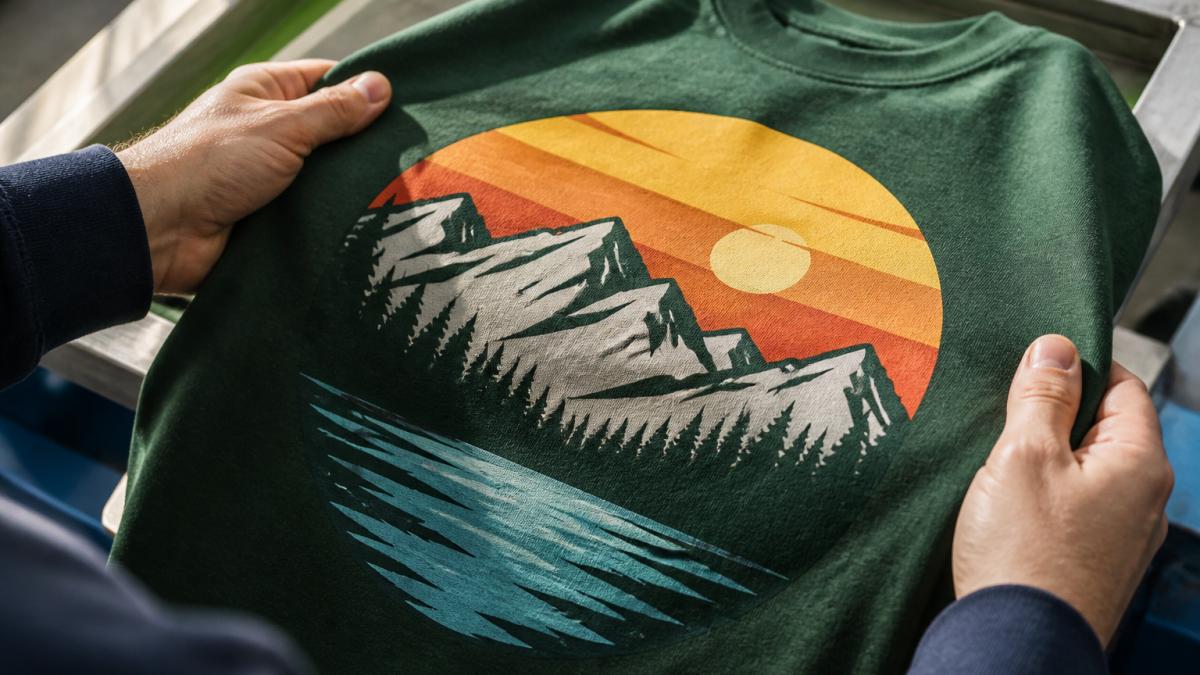
Use this checklist to judge a finished print:
- Edges are sharp with no fuzz or bleed
- Colors match the proof and stay consistent
- Multi-color layers line up with no gaps or overlap
- Ink coverage is even, with no thin or see-through spots
- The print feels smooth, not thick or rubbery
- The design sits straight and centered on the garment
- The fabric under the print isn't stiff or cracked
If a shirt fails two or more of these, it's a sign of rushed production.
Registration Accuracy and Multi-Color Alignment
Registration is how well the separate color layers line up on a multi-color print. When registration is off, you'll see a sliver of the shirt color peeking between two inks, or one color slightly shifted from another.
Look closely at where two colors meet. The seam should be clean. No white gaps, no dark outlines, no overlap that makes a third color.
This is one of the hardest parts of screen printing to get right, and it's where cheap runs show their flaws fastest.
Ink Opacity and Coverage
Opacity is how solid the ink looks on the fabric. Good coverage means the shirt color doesn't show through the print.
On a dark shirt, a white print should look bright white, not gray. On a light shirt, a dark print should look solid, not patchy.
Thin spots, called "pin-holes," are tiny gaps where the fabric shows through. They show up most on dark garments and are a clear sign of a light ink deposit.
Screen Printing vs. DTG: How to Tell the Difference
Screen printing and direct-to-garment printing, or DTG, look different once you know what to check. Screen printing pushes thick ink through a mesh screen. DTG prints ink directly onto the fabric like a desktop printer.
Here's how to tell them apart:
| Feature | Screen Printing | DTG Printing |
|---|---|---|
| Feel | Slightly raised, smooth | Thin, sits in fabric |
| Edges | Very sharp | Softer, sometimes fuzzy |
| Colors | Bold and solid | Can look faded on dark shirts |
| Best for | Bulk orders, bold designs | Small runs, photo detail |
| Durability | Long-lasting with care | Varies by fabric |
The feel test is the quickest. Screen printing has a slight texture you can feel. DTG often feels like part of the fabric itself.
Heavyweight Unisex Crewneck T-shirt | Gildan® 5000 →
For bold logos and large runs, screen printing usually wins on color and durability. For a single photo-heavy shirt, DTG can make sense.
Screen Print Durability and Wash Care: What to Expect
A quality screen print should survive dozens of washes without cracking, peeling, or fading. Curing is the key. Curing means heating the ink to the right temperature so it bonds to the fabric. Under-cured ink looks fine on the rack and fails in the laundry. That is the number one reason prints fail.
You can test durability yourself before you commit to a bulk order. Here is a simple procedure.
The one-wash test.
- Turn the shirt inside out.
- Wash it alone or with similar colors in cold water on a normal cycle.
- Use a standard detergent, no bleach, no fabric softener.
- Tumble dry low, or hang dry.
- Inspect the print immediately after drying, while the fabric is still relaxed.
How to read the results.
- Pass: The print looks essentially the same as before the wash. Edges are still sharp, colors are still solid, and the ink flexes with the fabric without breaking.
- Marginal: Slight dulling of the color, or a faint hairline crack along a fold line. This often means the ink was cured at the low end of the range or the deposit was thin.
- Fail: Visible cracking across the design, flaking at the edges, a chalky or faded appearance, or any peeling. Any of these means the ink did not fully fuse.
The stretch test. Before you even wash, grab a small section of the printed fabric and stretch it gently. A properly cured plastisol print will stretch with the shirt and snap back. An under-cured print will crack along the stretch line, sometimes audibly. This is a fast, non-destructive check you can do on a sample.
The scratch test. Drag a fingernail across a thick area of ink. Cured ink resists; under-cured ink smears or lifts. Do this on a hidden area, not the front of the design.
The three-wash check. For a bulk order, wash one sample shirt three times using the procedure above and inspect after each cycle. A print that passes one wash but fails three was likely borderline on cure. Three washes is a reasonable proxy for the first few months of normal wear.
To make any screen print last longer:
- Wash inside out in cold water
- Skip the dryer or use low heat
- Avoid bleach and fabric softener
- Don't iron directly on the print
For more on fabric care standards, the American Cleaning Institute fabric care guidance explains how heat and detergent affect printed garments.
How to Assess Print Quality Before Placing a Bulk Order
You can judge a printer before you commit to a large run. Ask for a sample or a "press proof" first. A press proof is a real printed shirt from the actual production setup, not a digital mockup.
Here's how to vet a printer before a bulk order:
- Request a physical sample in the exact garment and color you want
- Check the sample against the checklist above
- Wash the sample once and inspect it again
- Confirm the print placement and size on the sample
- Get the turnaround time and reprint policy in writing
Never approve a bulk run based on a screen mockup alone. Screens can hide fuzz, thin coverage, and color shifts. A real shirt is the only true test.
This is where experience pays off. At Unique Designs, we've learned that a quick physical proof saves both sides a lot of trouble down the line.
Common Print Defects and What They Mean
Most print defects trace back to one of a few production problems. Knowing the defect tells you what went wrong.
| Defect | What It Looks Like | Likely Cause |
|---|---|---|
| Fuzz | Blurry, ragged edges | Ink bleed or loose mesh |
| Pin-holes | Tiny gaps in the ink | Thin ink deposit |
| Misregistration | Colors don't line up | Screens not aligned |
| Cracking | Broken lines after washing | Under-cured ink |
| Fading | Dull, washed-out color | Poor ink or over-washing |
| Off-center print | Design sits crooked | Placement error |
Two of these are worth calling out. Cracking almost always means the ink wasn't cured at the right temperature. Misregistration means the color screens weren't lined up, which is common on cheap, high-speed runs.
If you see more than one defect on a single shirt, the whole run is suspect. Ask for a reprint.
Conclusion: Wear Your Standards
Judging print quality isn't complicated once you know what to look for. Sharp edges, true colors, clean registration, and a print that survives the wash tell you everything. Hold any shirt to those standards and you'll never settle for a print that fades in a month.
That's the standard we build into every piece at Unique Designs. As a husband-and-wife team with nearly forty years in printing, we focus on premium heavyweight cotton, crisp lines, and true colors on every design. Our graphic tees and sweatshirts are made to fit well and last, whether you want an inspirational Christian theme or a seasonal favorite.
Shop the Unique Designs collection and wear a print that holds up.
Frequently Asked Questions
How can you tell if a shirt is screen-printed or DTG printed?
Screen-printed shirts have a slightly raised, smooth ink layer that sits on top of the fabric. DTG prints feel softer and more embedded, often with a slightly grainy texture. You can also check the label or ask the seller. Screen printing uses inks cured with heat, while DTG uses water-based inks printed directly onto the garment. For durability, screen printing generally holds up better over many washes.
How can you tell whether a screen print will crack or peel?
Look for signs of under-curing: the print feels tacky or smells like plastic, or the ink looks dull. A properly cured screen print stretches with the fabric without cracking. To test, gently stretch the fabric under the print; if it cracks or flakes, it may not be cured correctly. Also check the edges: sharp, clean edges indicate good ink adhesion.
Should a screen-printed design feel thick or stiff?
A high-quality screen print should feel smooth and flexible, not thick or stiff. Inks can feel slightly raised, but they should not crack when you stretch the shirt. If the print feels like a heavy plastic patch, it may have too much ink or be under-cured, which leads to cracking. The best test is to stretch the fabric gently and see if the print moves with it.
How can you check whether a graphic tee is made from high-quality fabric?
Check the fabric weight: a good-quality tee is typically 5.3 oz or heavier. Look for 100% cotton or a cotton-poly blend with a tight knit. Feel the fabric: it should be soft but substantial, not thin or see-through. Inspect the stitching: double-needle hems and taped neck and shoulders indicate durability. Also, preshrunk cotton reduces shrinkage. Always read the product description for fabric details.
